03. 还原 commit
什么是还原?
当你告诉 git 还原(revert) 具体的 commit 时,git 会执行和 commit 中的更改完全相反的更改。我们详细讲解下。假设 commit A 添加了一个字符,如果 git 还原 commit A,那么 git 将创建一个新的 commit,并删掉该字符。如果删掉了一个字符,那么还原该 commit 将把该内容添加回来!
上节课最后讲解了合并冲突,并通过将标题设为
Adventurous Quest
解决了该冲突。假设现在仓库中有个 commit 将标题改为
Quests & Crusades
。
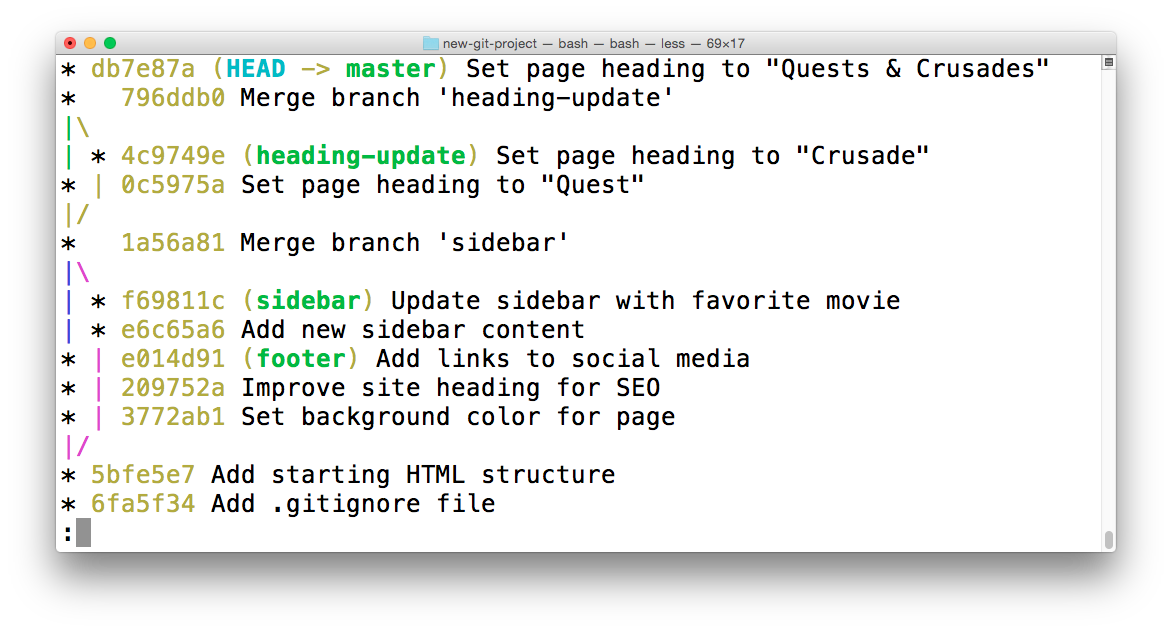
终端显示了仓库日志。最近的 commit 将标题从"Adventurous Quest"改成了"Quests & Crusades"。
##
git revert
命令
现在我创建了一个包含一些更改的 commit,我可以使用
git revert
命令还原它
$ git revert <SHA-of-commit-to-revert>
因为最近的 commit 的 SHA 是
db7e87a
,要还原该 commit:
我需要运行
git revert db7e87a
(随即弹出代码编辑器,以便编辑/确认提供的 commit 消息)
我将获得以下输出结果:
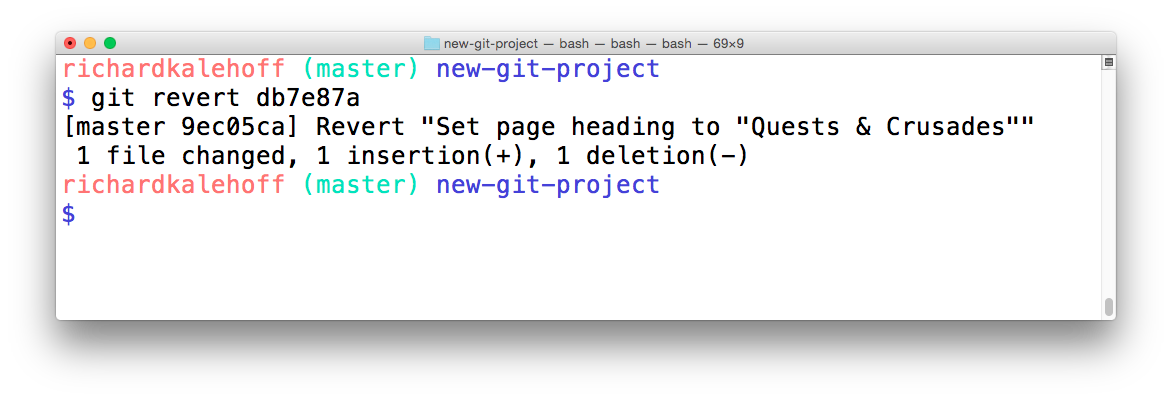
终端显示了还原 commit 操作的输出结果。输出结果显示了被还原的 commit 中的提交说明。它还新建了一个 commit 来记录这一更改。
你看到
git revert
命令的输出结果是如何告诉我们它还原了什么吗?它输出了我要求它还原的 commit 的提交说明。同时值得注意的是,它创建了新的 commit。
revert 小结
总结下,
git revert
命令用于还原之前创建的 commit:
$ git revert <SHA-of-commit-to-revert>此命令:
- 将撤消目标 commit 所做出的更改
- 创建一个新的 commit 来记录这一更改
深入研究
- git-revert git 文档 ( 英 )
- git revert Atlassian 教程 ( 英 )